
Sign in
Open Kouchd and sign in or create an account with your email or phone number.Host a stay
1
Create the stay
Choose Host a Stay and enter your planned stay dates, contribution cadence (daily or weekly), and rate.
2
Configure house guidelines & notes
Set quiet hours, kitchen cleanup expectations, visitor guidelines, and any household notes before finalizing.
3
Add payment methods
Add your direct handles or links for PayPal, Cash App, Zelle, or Apple Pay in Stay. Kouchd shares these handles with confirmed household members so they can send payments directly outside the app.
4
Invite guests
Share your private household code (e.g.
KCH-OAK-4821) or copy a direct invite link to send to each guest. Each guest receives their own agreement and private ledger.Join as a guest
1
Open your invite
Open the link your host shared or choose Join with Code on the homepage and enter the household code.
2
Preview and join household
Review the host name, dates, and rate in the code preview, then choose Join Household.
3
Review guidelines and accept terms
Review full quiet hours, kitchen standards, and your individual contribution rate and cadence. When everything is clear, select Accept Terms & Enter Household.
Follow contributions
Outside payments, shared records: All money moves directly between host and guest outside Kouchd. The app provides a mutual record where contributions are logged and confirmed.
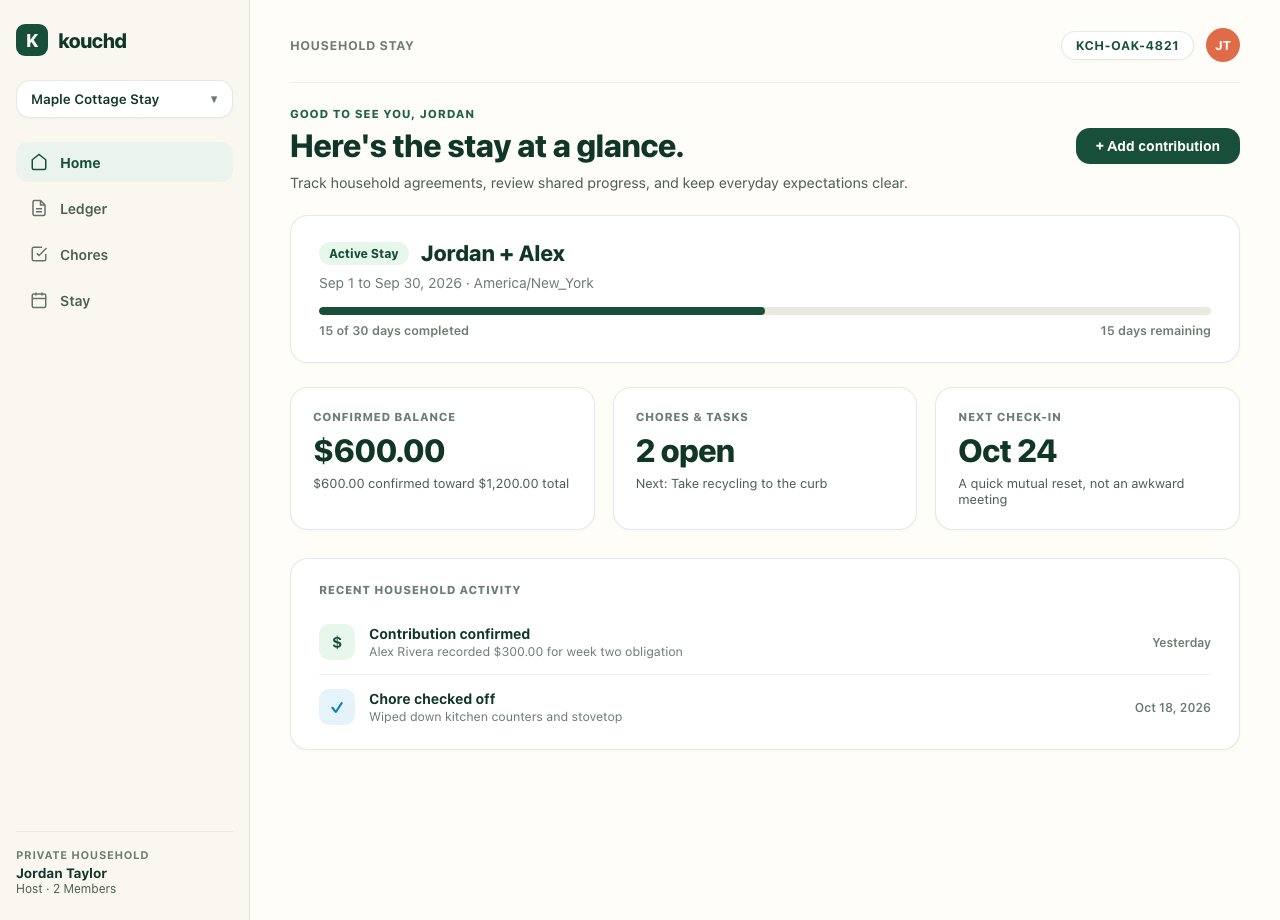
- Use Home to see confirmed contribution progress and your active balance.
- Use Ledger to review charges and log payments made outside the app.
- Use Chores to coordinate household responsibilities.
- Use Stay to reference house guidelines and payment handles anytime.
An iPhone app with the same Home, Ledger, Chores, and Stay tabs is in development. It isn’t on the App Store yet. Preview how it works in Getting started on iPhone.
Getting started as a host
Set up stay agreements, customize guest rates, and manage household records.
Joining a stay as a guest
Review invitations, accept agreements, and understand ledger privacy.
Logging contributions and checking progress
Learn how to log external payments and follow confirmation status.
House guidelines and chores
Keep shared living tasks clear, calm, and coordinated.