
Set up your household
When setting up your stay, you will walk through the host onboarding wizard to establish household defaults:1
Name your stay & set dates
Choose Host a Stay, give your household a recognizable title (such as “Maple Cottage Stay”), and set the overall stay window.
2
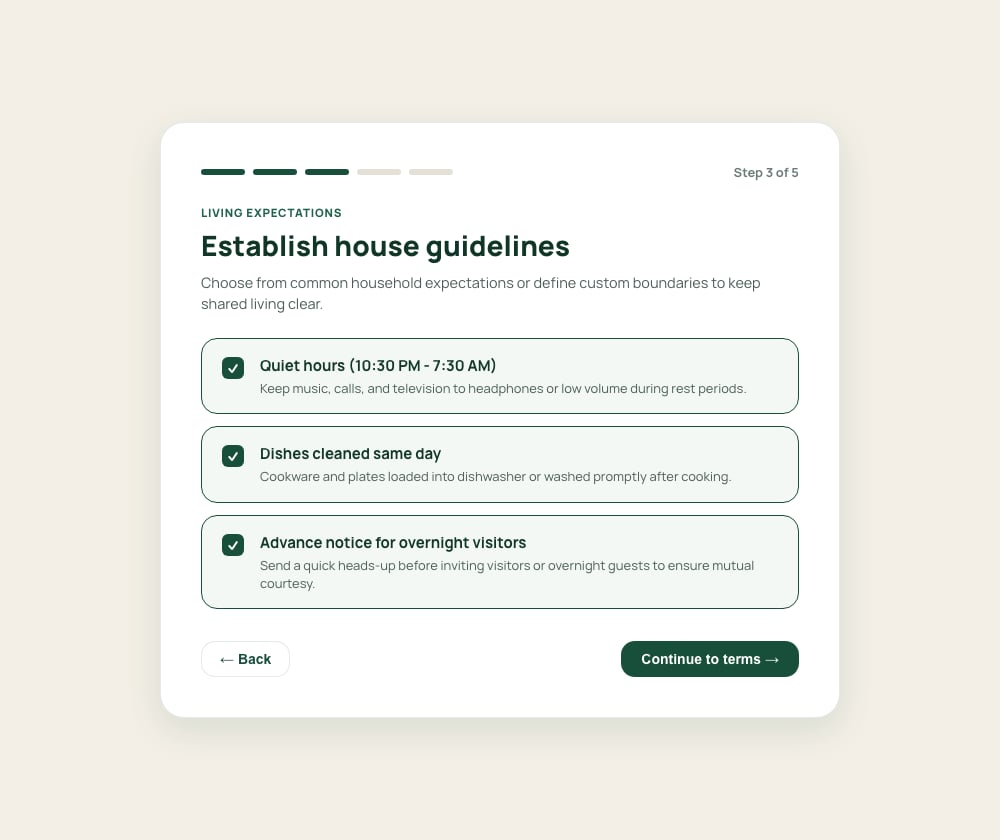
Establish house guidelines
Select shared expectations for quiet hours, kitchen cleanup, visitor notices, and smoke-free spaces to ensure mutual comfort.
3
Configure contribution cadence & rates
Set default daily or weekly contribution rates, choose payment days, and define any grace-period or late-fee rules.
4
Add external payment handles
Enter your preferred direct payment handles or links for PayPal, Cash App, Zelle, or Apple Pay in Stay. Guests use these handles to pay you directly outside Kouchd.
5
Share invite codes & links
Generate your private household code (e.g.,
KCH-OAK-4821) or direct invitation links to text or email your guests.Outside payments: Payment handles are visible only to confirmed household members. Kouchd does not process, handle, or escrow money directly.
Customize each guest’s agreement
Every new guest begins with a copy of your household’s default terms. To tailor an individual agreement:- Open Stay from your navigation.
- Select Edit agreement beside the guest’s profile.
- Adjust their specific stay dates, daily or weekly contribution rate, cadence, and late-fee grace periods.
- Save your revisions.
Invite guests to join
You have two ways to invite guests to your household:- Private invite links: Copy a direct join link and paste it into a text message or email from your phone or computer. The link includes cryptographic verification and displays your host name so guests know it is authentic.
- Household referral code: Share your stay’s short code (e.g.
KCH-OAK-4821). Guests can simply enter this code on the Kouchd website to view your stay preview and accept terms.
Pricing, payment timing, and terms
Configure guest rates, late fees, and grace periods.
House guidelines and chores
Set shared expectations, chore rotations, and household notes.
Managing the ledger
Review charges, confirm guest contributions, and track balances.
Stay agreements and house rules
Learn how individual guest agreements and privacy boundaries work.