
Join with a link or code
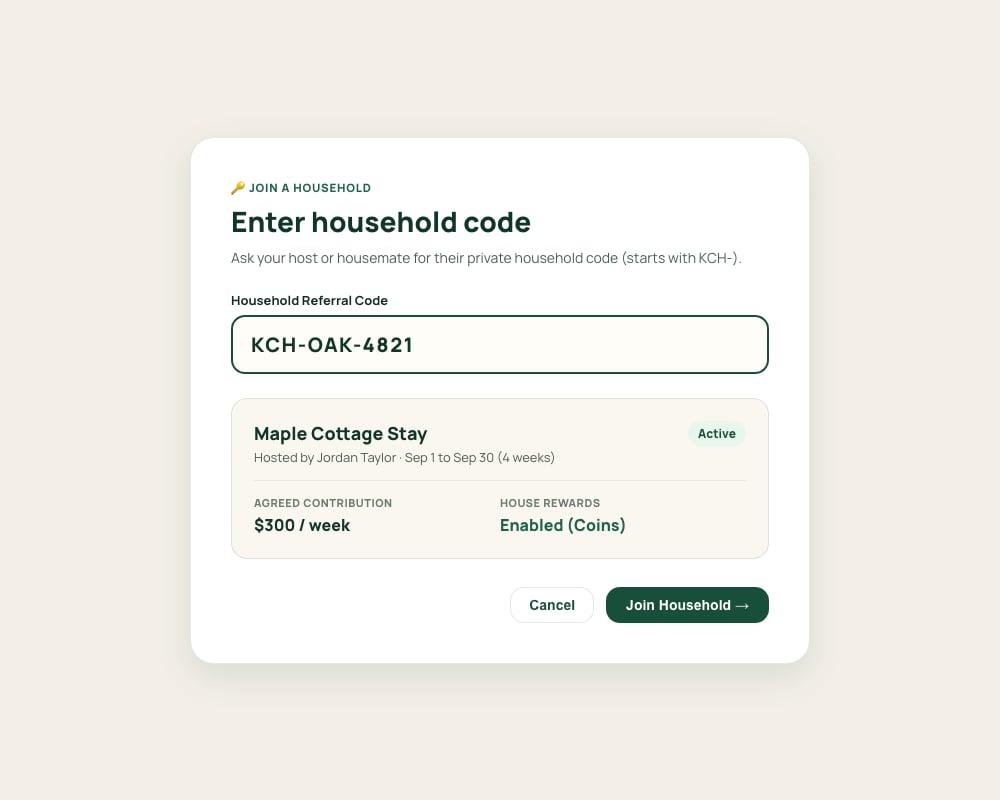
You can join a household using either a private invitation link or a 6-to-8 character code (such asKCH-OAK-4821).
1
Open your invitation
Click the invitation link your host sent you, or visit Kouchd, sign in, and choose Join with Code.
2
Enter household referral code
If joining via code, enter the exact code provided by your host into the input field. A preview of the household match will appear with the host name, planned stay dates, contribution rate and cadence, house rule count, and reward status.
3
Confirm household preview and join
Verify the host name, dates, and rate match what you discussed, then select Join Household to activate your membership.
4
Review house guidelines and terms
In the onboarding flow that follows, review the full house guidelines (quiet hours, kitchen rules, and visitor policies) and your individual stay dates and contribution terms.
On iPhone
On iPhone
- Invitation link: Tap the link your host sent. The app opens, asks you to sign in if needed, and shows the invitation.
- Referral code: Go to Stay › Join another stay (or choose Join with a code on the welcome screen if you don’t have a stay yet), enter the code, and tap Join.
- If your agreement needs review, Home shows Your agreement needs review with a Review agreement link.
Review and accept your agreement
During onboarding, review your individual agreement terms in detail:- Stay dates: Your specific check-in and check-out dates.
- Contribution rate & cadence: The agreed dollar amount and whether it is logged daily or weekly.
- Grace periods & late fees: Any agreed buffer before an overdue fee applies.
- House guidelines: Detailed quiet hours and shared household standards.
Private & independent: Your agreement applies strictly to you. Other guests in the home cannot view your rates, charges, contributions, or ledger.
After joining
- Use Home to see confirmed contribution progress, stay countdowns, and recent activity.
- Use Ledger to view upcoming obligation dates and record payments you make to your host.
- Use Chores to coordinate shared household tasks and pitch in.
- Use Stay to review your host’s external payment handles and house guidelines anytime.
Logging contributions
Record external payments and track confirmation progress.
Kouchd Coins and house rewards
Submit reward claims for chores and shared contributions.
Email and text reminders
Configure email and optional text reminders.
Privacy, data, and security
Learn how Kouchd protects your personal information and ledger boundaries.