
Recording a contribution
A contribution is a shared record of something you paid or provided outside Kouchd, such as an external payment or shared groceries.1
Open the Ledger tab
Tap Ledger, then tap Record a contribution (or the + button at the top right).
2
Fill in the details
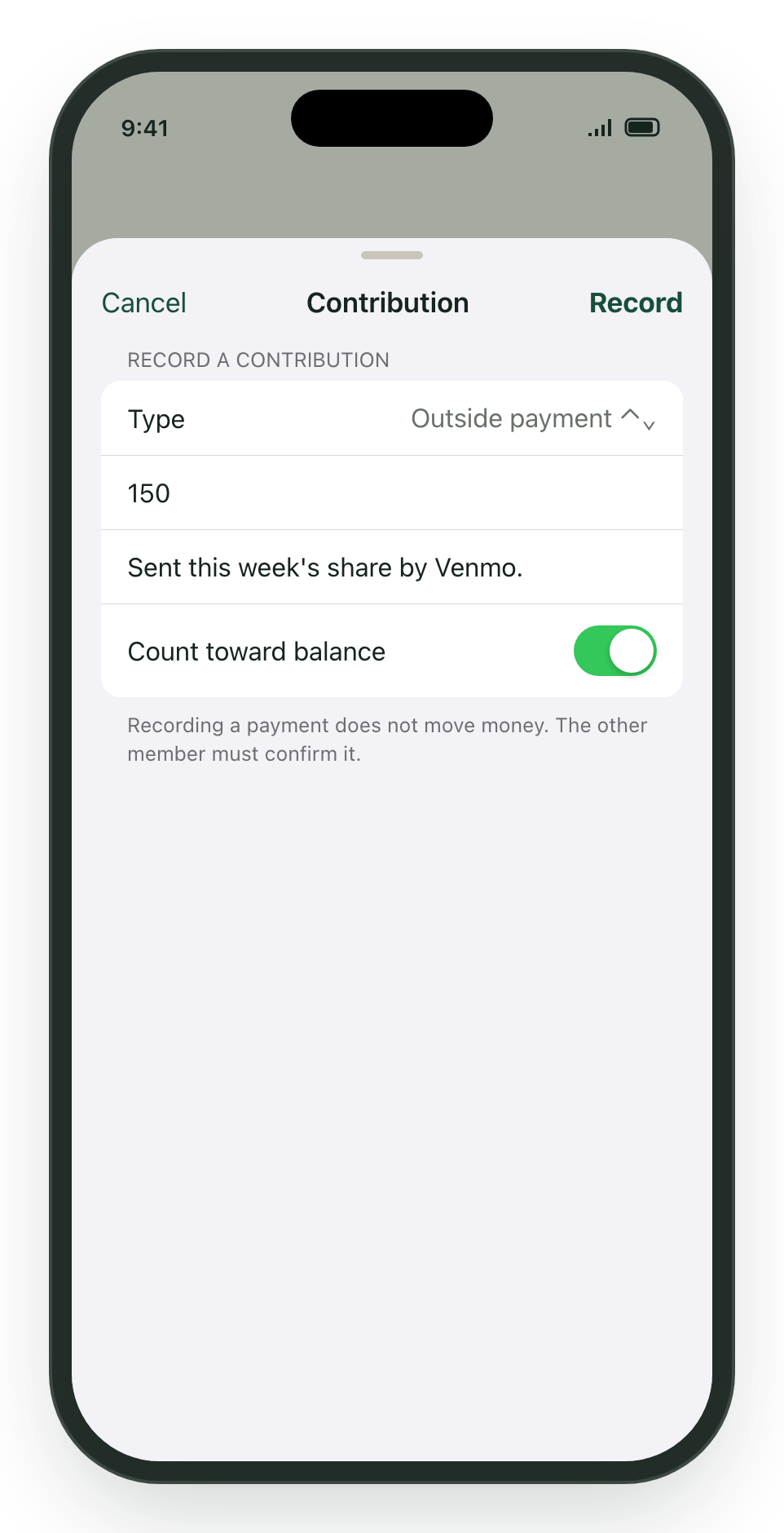
Choose a Type: Outside payment, Groceries, Supplies, House work, or Other. Enter the amount in dollars and add a short note so the other person recognizes it.
3
Decide whether it counts toward the balance
Leave Count toward balance on if this should reduce what’s owed. Turn it off for items you want on record but that were not part of the agreed contribution rhythm.
4
Tap Record
The record appears as pending with the note “Waiting for the other person to confirm.”
Confirming or disputing a contribution
When someone else records a contribution that involves you, it shows up under Contribution records in the Ledger with Confirm and Dispute buttons.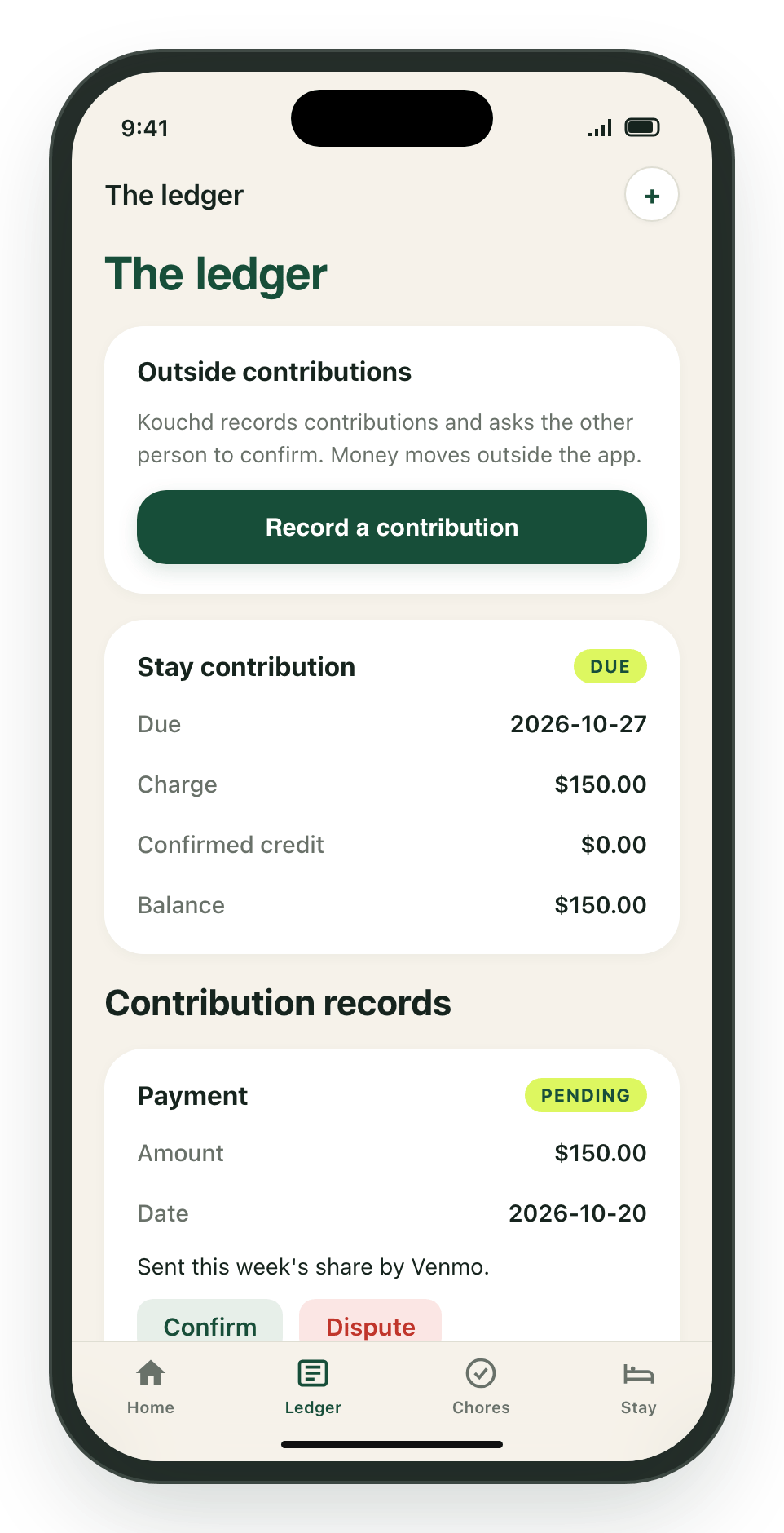
- Confirm: Tap Confirm if it matches what was exchanged. Confirmed contributions that count toward the balance are credited to your oldest outstanding charge (including an upcoming charge when earlier charges are fully covered).
- Dispute: Tap Dispute if something looks off. Then talk it through with the other person. If the details were wrong, the person who recorded it (or the host) can tap Void record and record it again correctly.
Inline contribution disputes and record voiding are native-only features in the iPhone app. On the web app, mismatched records are left unconfirmed while coordinating a re-recorded contribution.
Host ledger controls
Hosts managing multiple guests can tap the guest switcher at the top of the Ledger to view charges and records for each guest individually. Hosts can also tap Waive late fee on any charge that includes an overdue fee.Related guides
Getting started on iPhone
App navigation, signing in, and notification settings.
Chores & stay details on iPhone
Household chore assignments, guidelines, and house notes.