
Living together comfortably
Living together smoothly just takes a little mutual consideration for shared spaces. In your stay setup, you can set guidelines for:- Quiet hours: When it is time to keep things low-key and quiet down music or calls.
- Kitchen cleanliness: Keeping dishes out of the sink, cleaning cookware promptly, and wiping down counters.
- Guests and visitors: Whether having friends or partners over needs a quick heads-up.
- Smoking and vaping: Designated outdoor spots or smoke-free house guidelines.
- Shared supplies: How household staples like paper goods, dish soap, and spices are shared or restocked.
Sharing the chores
The Chores tab is your shared to-do board where you and your guest coordinate house tasks:- Who is handling it: Assign tasks to Host, Guest, or Everyone.
- Due dates: Clear countdowns like “Due tomorrow” or “Due in 2 days” keep timelines friendly and visible.
- Done and checked: Check off a task anytime with a satisfying tap so everyone knows it has been handled.
Done together: When a chore is completed, checking it off updates the shared board in real time for everyone in the household.
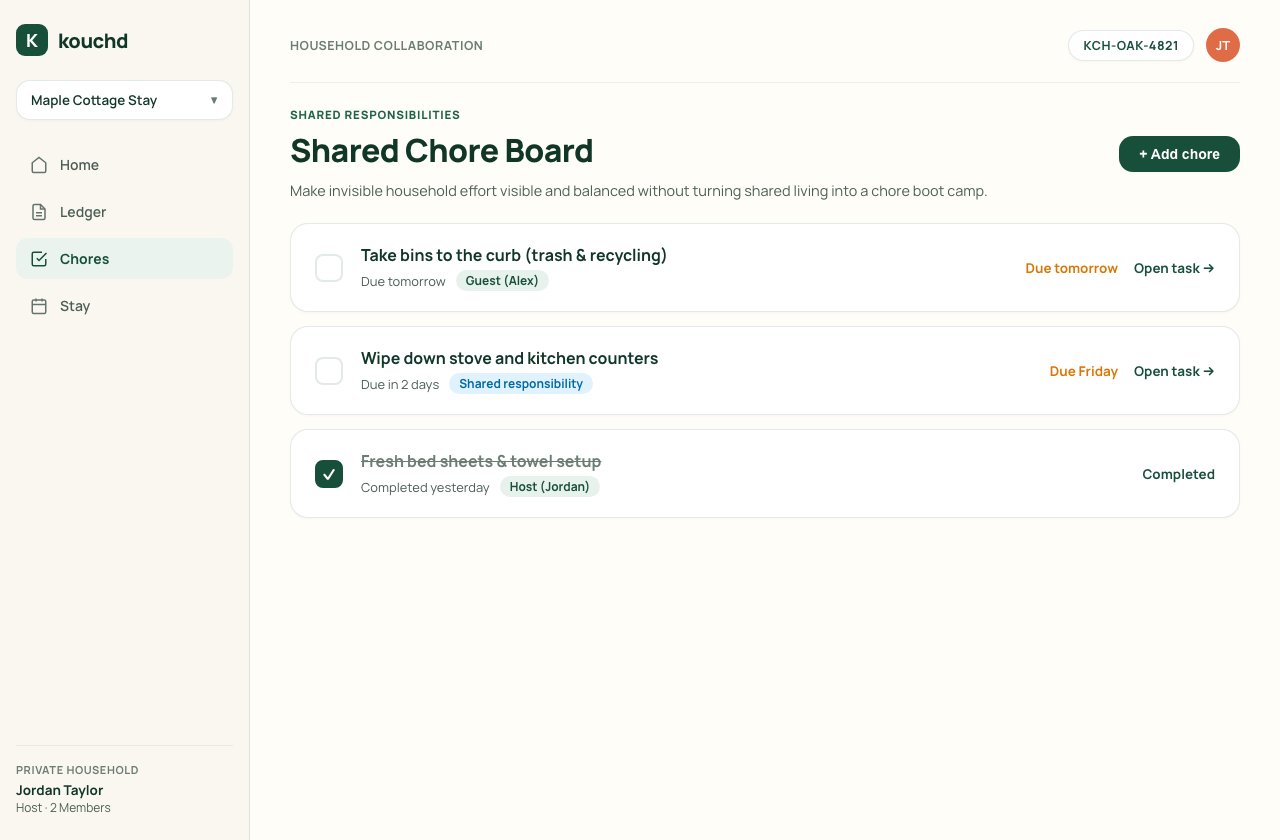
Add a new chore
1
Open Chores
Navigate to Chores in your navigation bar and choose + Add chore.
2
Name the task
Enter a brief title (such as “Take bins to the curb” or “Wipe down stove counters”) and an optional note with helpful details.
3
Assign responsibility and due date
Select who will handle the task (Host, Guest, or Everyone) and pick a target date.
4
Save and share
Select Create chore. The task appears immediately on the household board.
On iPhone
On iPhone
- Tap Chores, then Add a chore (or +).
- Enter the chore and any details, choose who it’s for (Shared, Host, or Guest), and pick a due date.
- Tap Add.
Getting started as a host
Create a stay, configure rules, and invite guests.
Kouchd Coins and house rewards
Reward guests for completing chores or helping around the home.